The Short Answer Is Yes
If you’ve ever wondered whether filling in that little alt text field in your CMS actually makes a difference, I’ll save you some time: it does.
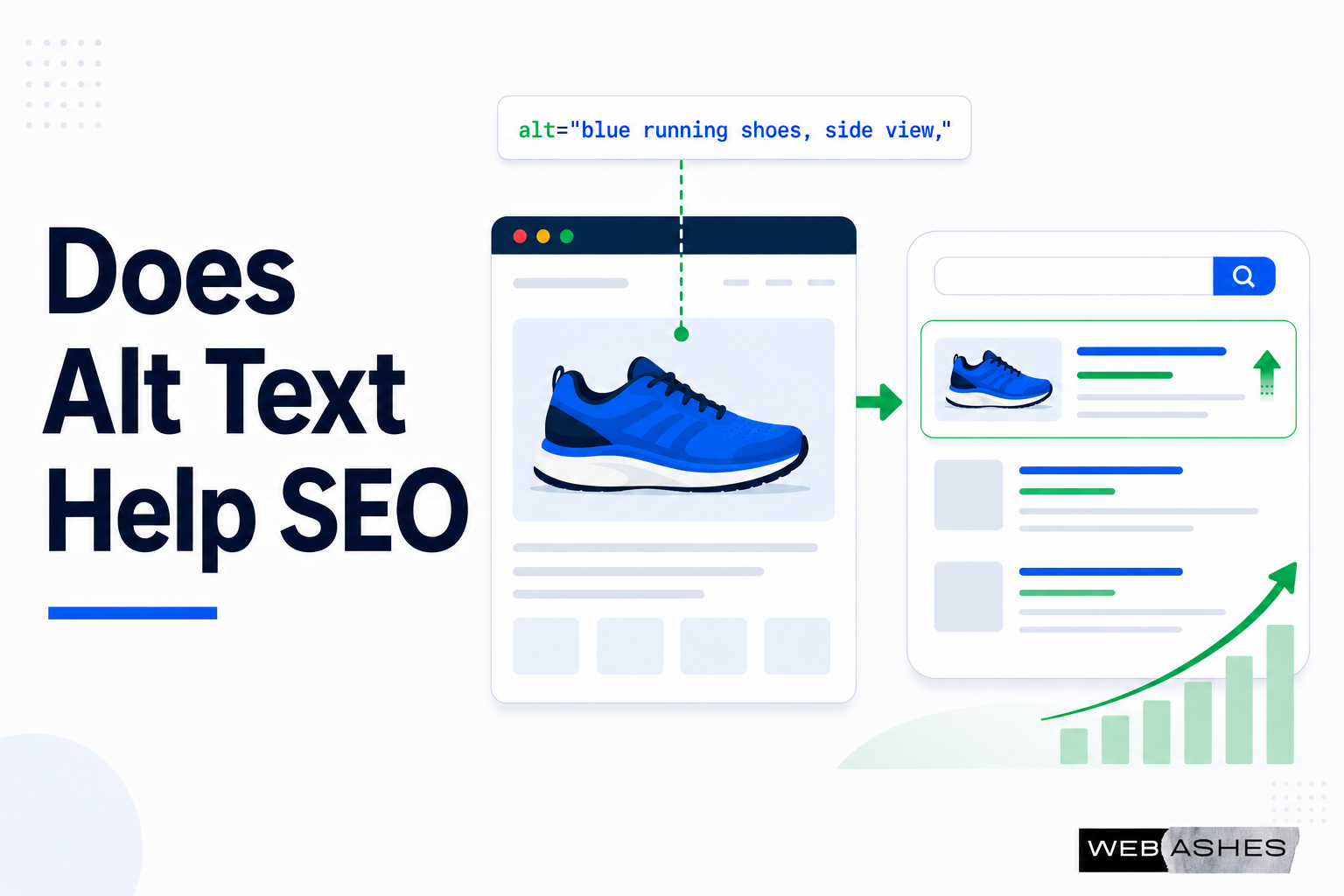
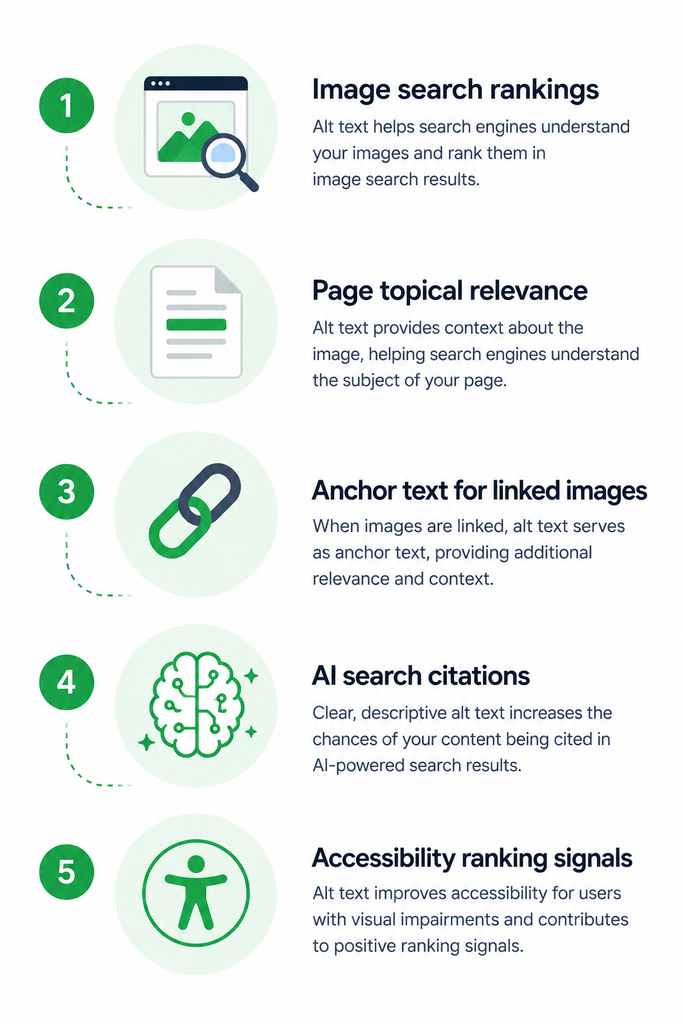
Alt text helps SEO in several direct and measurable ways. It helps search engines understand your images. It opens the door to Google Image Search traffic. It strengthens the topical relevance of your pages. And in 2026, it also affects whether your content gets cited in AI-generated answers.
It’s also one of the most commonly neglected things on a website and in SEO practice. According to the WebAIM Million 2026 report, which analyzed the top one million homepages, 53.1% of websites still have at least one image missing alt text. That’s more than ten images per page on average with zero description.
That’s a lot of missed opportunity. Let’s go through exactly how alt text helps SEO and what you should actually do about it.
What Alt Text Does for Search Engines
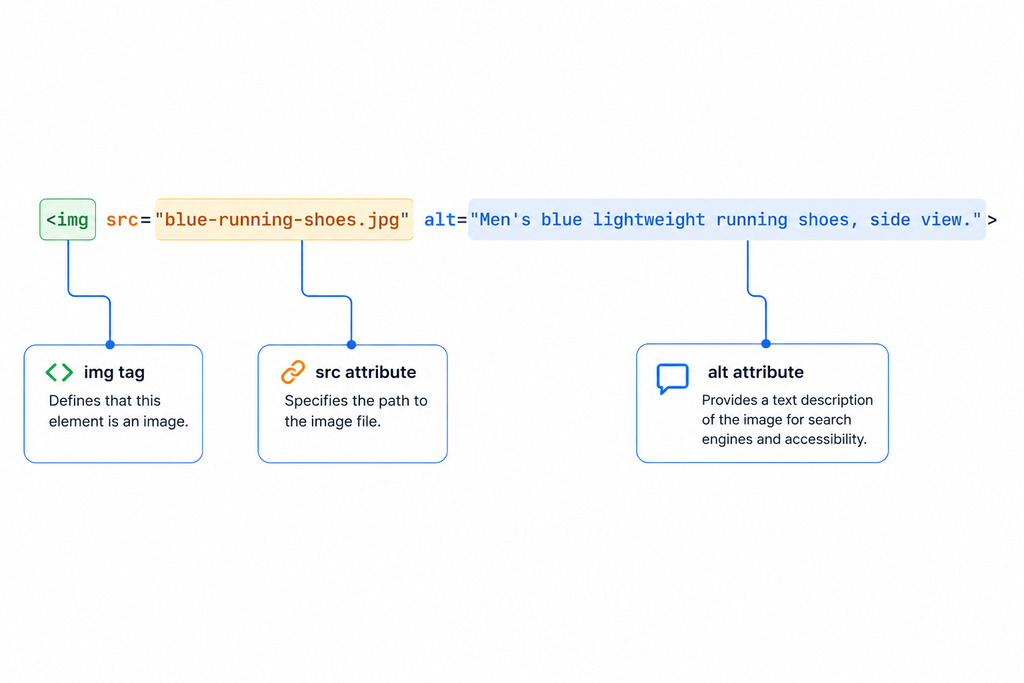
In general, alt text is a written description you add to an image through the HTML alt attribute. It looks like this:
<img src=”blue-running-shoes.jpg” alt=”Men’s blue lightweight running shoes, side view.”>
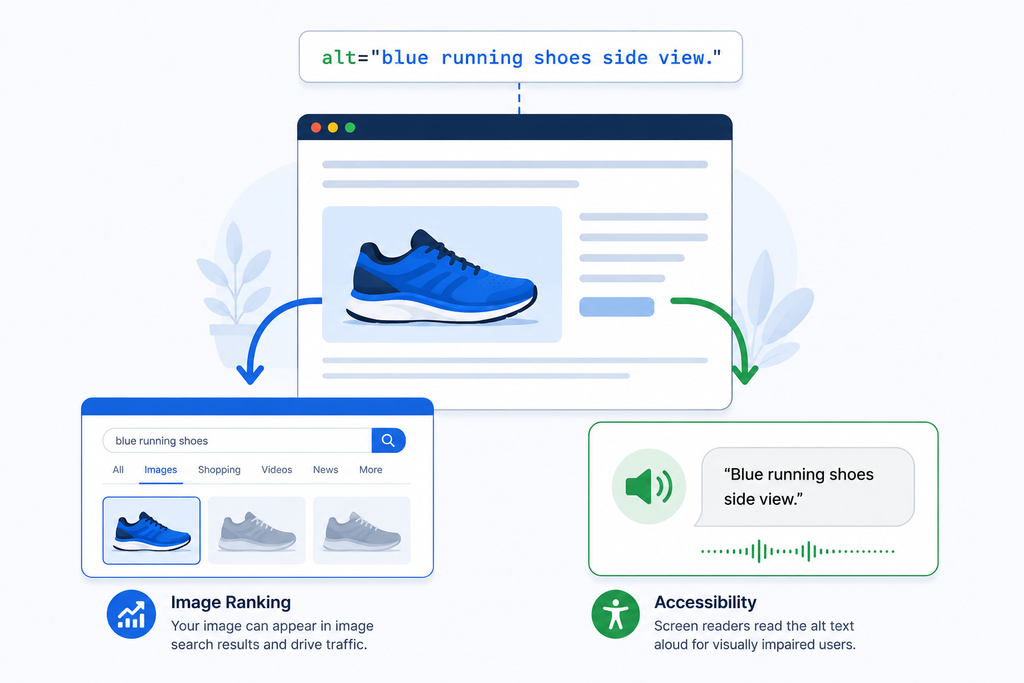
The description inside alt=”” is what search engines read when they crawl your page. It’s also what screen readers announce aloud when a visually impaired user reaches that image.
Most visitors never see alt text. But for search engines and screen readers, it’s one of the most important pieces of information on the page.
Here’s the key thing to understand: search engines cannot see images the way you and I do. Google uses computer vision algorithms to analyze images, but those systems still rely heavily on text context. Alt text, image filenames, surrounding page content, and captions all work together to help Google understand what an image shows.
When an image has no alt text, Google sees an information gap. It might still index the image using computer vision, but it has far less confidence about what the image shows or how it relates to the page. And, practically, that affects SERP rankings.
How Alt Text Helps SEO: The Specific Ways
Let’s discuss some profound reasons of optimizing your website images with alt text for SEO.
1. It helps Google understand and index your images
Google Images is one of the largest visual search engines in the world and a major driver of high-intent traffic, especially in industries like e-commerce, home services, and travel. According to SEOScore.tools, 22.6% of all Google searches happen in Google Images, making image SEO one of the highest-impact optimizations you can do.
Without descriptive alt text, your images have very little chance of showing up in image search results. And different studies claim that images with descriptive text are more likely to appear at the top of Google Image Search results. Google itself highlights the importance of using alt attributes to understand image content in its Image Publishing Guidelines.
When you write accurate, descriptive alt text, you give Google exactly what it needs to understand the image and rank it for relevant queries.
2. It strengthens your page’s topical relevance
Alt text doesn’t just help your images rank. It also contributes to how Google understands the overall topic of your page.
When search engine crawlers read a page, they look at everything: headings, body text, meta descriptions, internal links, and image alt text. A page about running shoes with ten product images, all with descriptive alt text mentioning the shoe type, color, and style, sends clearer topical signals than a page where every image is labeled IMG_4729.jpg.
When a search engine’s crawler can read your alt text, it learns what the image is about. Since algorithms determine the relevance of web pages based on keywords, they can also pinpoint keywords in your alt attribute and see the page as more relevant to the related queries.
3. It acts as anchor text for linked images
This one is often overlooked. When you wrap an image in a link, the alt text of that image functions as the anchor text for the link.
Anchor text is one of the signals Google uses to understand what a linked page is about. For text links, you can see the anchor text. For image links, Google reads the alt text instead.
If you have a clickable product image that links to a product page, and the alt text is just “image,” Google has almost no information about what that link leads to. If the alt text is “Men’s blue lightweight running shoes product page,” Google has a clear signal.
This makes alt text especially important for navigation elements, product images used as links, call-to-action buttons that use images, and any logo or banner that links somewhere.
4. It feeds AI search systems
This is the most recent development and one that’s changing fast.
Your images aren’t just competing for Google Image Search anymore. They’re competing to be the visual answer that ChatGPT, Perplexity, and Google’s AI Overviews serve for image-rich queries.
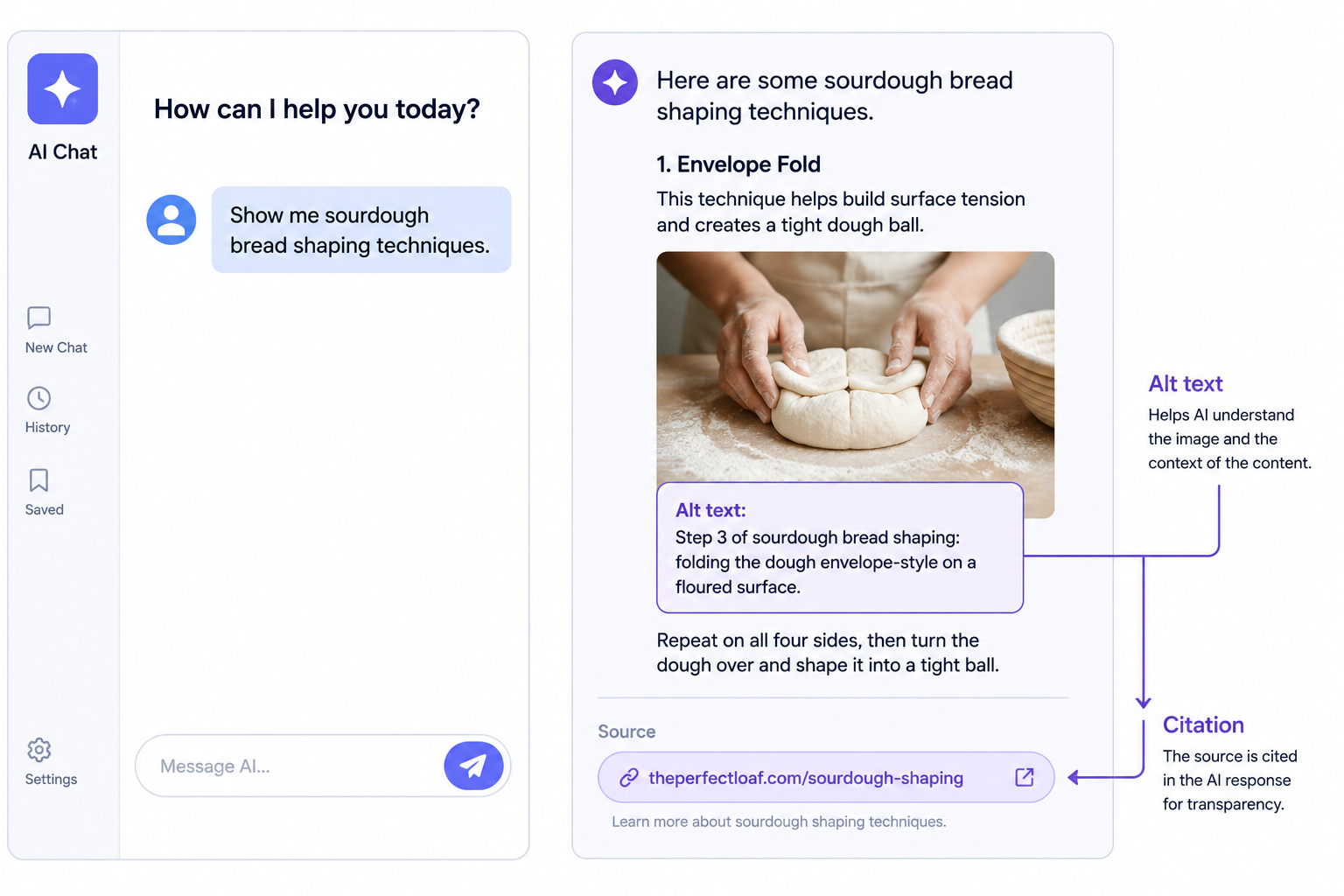
According to Semrush’s 2026 AI search trends report, AI search captured 12 to 15% of global search share in 2025, and Google’s AI Overviews now reach 2 billion users. In this environment, images with rich, accurate alt text are more likely to be referenced in AI-generated answers, directly affecting organic visibility for image-heavy content categories like e-commerce, travel, food, and news.
A 2025 Semrush analysis of AI search trends found that content with “transcripts, captions, and clear images with descriptive alt text” was significantly more likely to be referenced in AI-generated search answers.
In short: if you want your images to appear in AI Overview citations and AI-driven search results, alt text is one of the primary signals those systems use.
5. It supports accessibility, which affects ranking signals
In 2026, digital accessibility lawsuits are at an all-time high. Many jurisdictions now treat websites as public accommodations under the ADA and similar global laws. From an SEO perspective, a legal nightmare is also a ranking nightmare. If your site is flagged for poor accessibility, your user experience signals- bounce rate and time-on-site will suffer among the millions of users who rely on assistive tech.
Google uses user experience signals as ranking factors. A site where visually impaired users have a poor experience because of missing alt text is a site with worse accessibility metrics. That flows into your overall SEO health.
Is Alt Text Important for SEO?
Alt text is important for SEO. But it’s not a magic ranking lever. It works alongside your page content, technical SEO, and overall site quality.
Here’s how I think about it: alt text is part of the information layer that Google reads. When that layer is complete and accurate, Google has a clearer picture of what your content is about. When it’s missing or vague, Google has gaps.
Those gaps matter more on some pages than others. A product page where every image is a product photo benefits enormously from good alt text. A blog post with one illustrative image? Less so. But in both cases, missing alt text is leaving information on the table.
Images are the most under-optimized element on the average website. While most site owners spend hours perfecting their title tags, meta descriptions, and content strategy, they upload images named IMG_4832.jpg with empty alt attributes and file sizes that destroy page speed. In 2026, image SEO is not optional. It directly impacts your Google rankings.
How to Write Alt Text for SEO
Writing alt text well for SEO doesn’t require a complicated process. It mostly requires paying attention to what’s actually in the image and describing it clearly.
Write for humans first
The best alt text for SEO is also the best alt text for accessibility. It’s a clear, accurate description of what the image shows, written the way a person would naturally describe it.
If I have a photo of a woman using a laptop at a standing desk for a blog post about home office setups, I’d write:
alt=”Woman working at a standing desk with a laptop in a home office.”
That’s descriptive, natural, and accurate. It tells Google what the image shows without any awkward keyword insertions.
Include keywords organically
If your target keyword naturally fits the description of the image, include it. If it doesn’t fit naturally, don’t force it.
Say the page targets “ergonomic home office furniture.” If the image shows an ergonomic chair at a desk, writing alt=”Ergonomic office chair with lumbar support at a home office desk.” is both accurate and keyword-relevant. That’s ideal.
What I wouldn’t do is write alt=”ergonomic home office furniture ergonomic chair best ergonomic desk office setup.” That’s not a description. It’s a keyword list. And it will hurt, not help, your rankings.
Use long-tail keywords where they fit naturally
Long-tail keywords are highly specific phrases like “brushed nickel kitchen faucet with pull-down sprayer.” While it might be hard to fit that exact phrase into your headers without sounding clunky, you can easily use it in the alt text of a product photo. This allows you to capture niche, high-conversion traffic.
Product images especially benefit from this. If you have a product photo of a specific item, the alt text can include the full product name and key attributes in a way that would feel unnatural in a heading but reads perfectly naturally as an image description.
Don’t stuff keywords in Image Alt Text
Keyword stuffing in alt text is a clear violation of Google’s quality guidelines. When search engines detect aggressive, unnatural repetition, they interpret it as an attempt to manipulate rankings. The consequences can include devaluation of the image, negative impact on page ranking, and a poor user experience where screen readers read out jumbled, unnatural text to visually impaired users.
The test I use: would I say this out loud to describe the image to someone on the phone? If yes, it’s good alt text. If it sounds like a list of search terms, it needs to be rewritten.
Use empty alt text for decorative images
Decorative images, things like background patterns, dividers, abstract shapes, and stock photos that add no informational value, should have an empty alt attribute: alt=””.
This tells both search engines and screen readers to skip the image. It keeps your site’s information architecture clean. And it means Google isn’t wasting crawl resources trying to interpret something that has no relevant content.
Never leave the alt attribute out entirely. A missing alt attribute is different from an empty one. Empty means “skip this.” Missing means Google has to guess.
Keep it under 125 characters
Most screen readers truncate alt text after around 125 characters. For SEO, there’s no strict limit, but concise, specific descriptions tend to perform better than lengthy ones. Get to the point. Include what matters. Stop when you’ve described the image.
Alt Text SEO Best Practices: A Quick Reference
Here’s a summary of what actually works when you try to apply alt text for better SEO output:
Write a clear, accurate description of what’s in the image. That’s the foundation of everything else. Accuracy comes first.
Include your target keyword if it fits naturally. Don’t add it if it doesn’t. The image description should still make sense as a standalone sentence.
Match alt text to image content. Don’t write alt text about your product if the image is a lifestyle photo. Don’t write alt text about the page topic if the image is just illustrative.
Use different alt text for different images. If you have five product photos of the same item from different angles, each one should describe what that specific photo shows.
Rename image files descriptively before uploading. Filenames are a secondary SEO signal. blue-running-shoes-side-view.jpg is better than IMG_4729.jpg. Use hyphens between words, all lowercase, no spaces or special characters.
Prioritize high-traffic pages and product images. If you’re auditing an existing site, start with the pages that already get organic traffic and the images that are most likely to drive commercial intent.
Check your alt text in Search Console. The Performance report in Google Search Console lets you filter by “Image” search type. Pages with well-optimized images generate more image impressions over time. If a page has strong rankings for text results but low image impressions, weak alt text is often the reason.
What Happens When Alt Text Is Missing
I want to be specific about this because I’ve seen it play out on real sites.
When a product image has no alt text, it has almost no chance of appearing in Google Image Search for product-related queries. A competitor with the same product but descriptive alt text on every image will consistently outrank you in image results.
When a linked image has no alt text, Google has no anchor text signal for that link. The link still passes some authority, but without context about where it’s going, Google can’t use it as effectively.
When a page has many images with no alt text, the overall topical signal of the page is weaker than it could be. Each missing description is a missed opportunity to reinforce what the page is about.
None of this is catastrophic on its own. But collectively, missing alt text across a large site adds up to a meaningful gap in image SEO performance.
Alt Text and E-Commerce SEO
For e-commerce sites specifically, alt text for images is one of the highest-return investments in your SEO work.
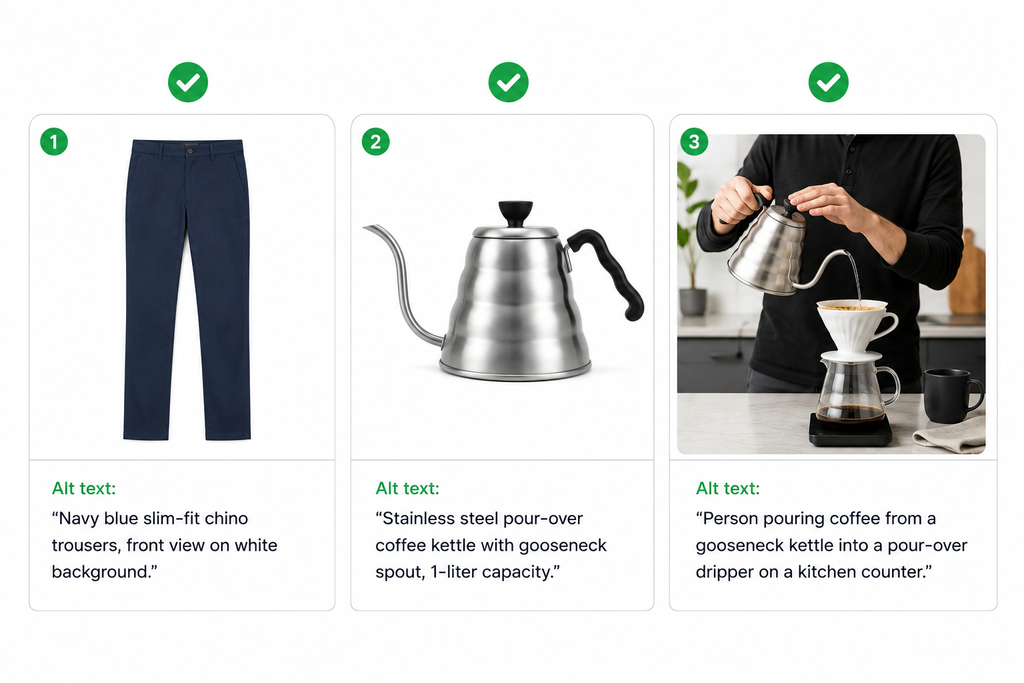
Every product image is an opportunity to rank in Google Images for a product-related query. Shoppers use image search to find products, compare options, and verify what something looks like before buying. If your product images don’t have descriptive alt text, you’re invisible in that channel.
The format that works best for product image alt text is: product name, key attributes (color, material, style), and context if relevant.
alt=”Navy blue slim-fit chino trousers, front view on white background.”
alt=”Stainless steel pour-over coffee kettle with gooseneck spout, 1-liter capacity.”
For product variants, each image should have its own distinct alt text. If the same product comes in five colors and you have a photo for each, each photo needs a description reflecting the color shown. Identical alt text across all variant images tells Google nothing about what makes each image different.
For lifestyle images, describe what the photo shows in context, not just the product.
alt=”Person pouring coffee from a gooseneck kettle into a pour-over dripper on a kitchen counter.“
That description captures a moment and a context that the plain product shot doesn’t. It’s also the kind of description that matches conversational search queries.
Alt Text in 2026: The AI Search Dimension
Something shifted in the past year or two that most alt text guides haven’t fully caught up to.
AI-powered search, including Google’s AI Overviews, ChatGPT’s web search, and Perplexity, now indexes and surfaces images as part of answers. When someone asks an AI search engine a question that has a strong visual component, those systems pull images from web pages.
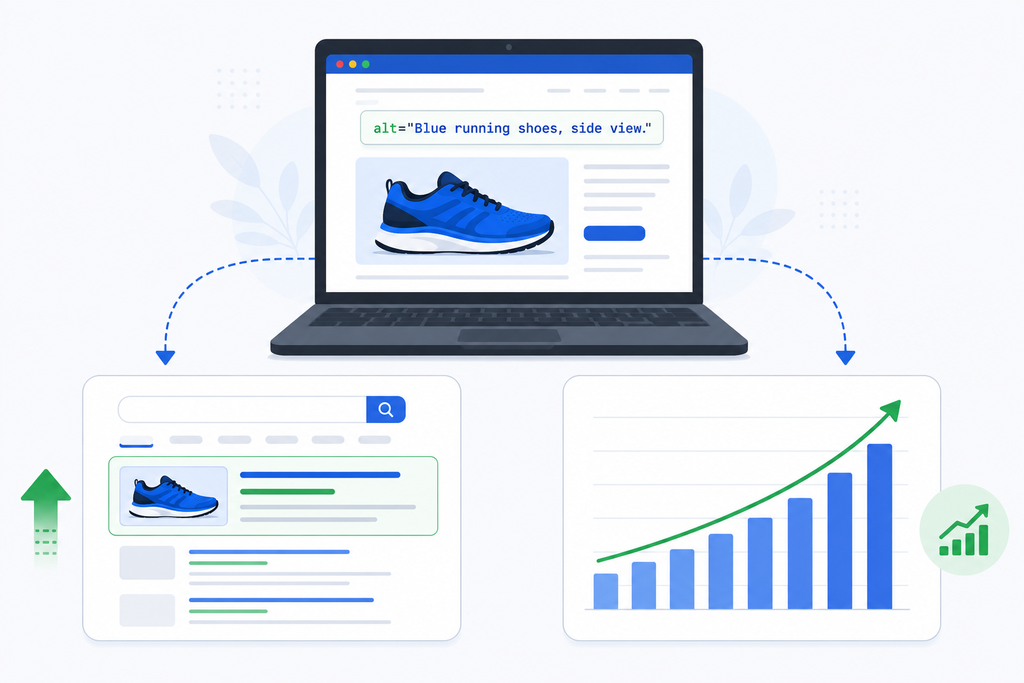
AI systems are more likely to pair your image with text when the alt text is specific and descriptive enough to match a conversational query. Conversational specificity wins.
What this means in practice: alt text that reads naturally as an answer to a question is more likely to be cited by AI systems than alt text that’s keyword-heavy or generic.
alt=”Step 3 of sourdough bread shaping: folding the dough envelope-style on a floured surface.”
That description is conversational and specific. It matches the kind of query someone might ask an AI search engine. It’s also fully accurate and accessible. All three things work together.
Proper image optimization makes your content more comprehensible to AI systems, increasing your chances of being cited in AI-generated responses.
The good news is that the fundamentals haven’t changed. Accurate, descriptive alt text has always been the right approach. In 2026, it just has more surfaces to perform on.
Also Read: Google Debunks AI Myth
Frequently Asked Questions
Does alt text help SEO?
Is alt text important for SEO or just accessibility?
How do I write alt text for images for SEO?
What are the best alt text SEO best practices?
Does keyword stuffing in alt text hurt SEO?
How do alt tags help SEO in image search?
Does alt text help with Google AI Overviews and AI search?
What is the best alt text for SEO?
How do I check if my images have alt text for SEO?
Wrap Up!
Alt text helps SEO in ways that are direct, well-documented, and increasingly important as AI search grows.
It helps Google index your images. It gives your pages stronger topical signals. It provides anchor text context for linked images. It feeds AI search systems that are taking up more and more of the search results page. And it helps the accessibility of your site, which connects back to the overall quality signals Google evaluates.
The practice itself is simple: describe each image accurately, include keywords where they fit naturally, use empty alt text for decorative images, and never stuff keywords into alt attributes.
The sites that do this consistently outperform the ones that don’t in image search, in overall organic rankings, and increasingly in AI-driven search results. It’s one of the lowest-effort, highest-return improvements you can make to a website’s image SEO.
Start with your most important pages and work outward. Check what’s missing using Screaming Frog or Chrome DevTools. Write descriptions that are accurate first and keyword-relevant second. That order matters.
Leave a Reply